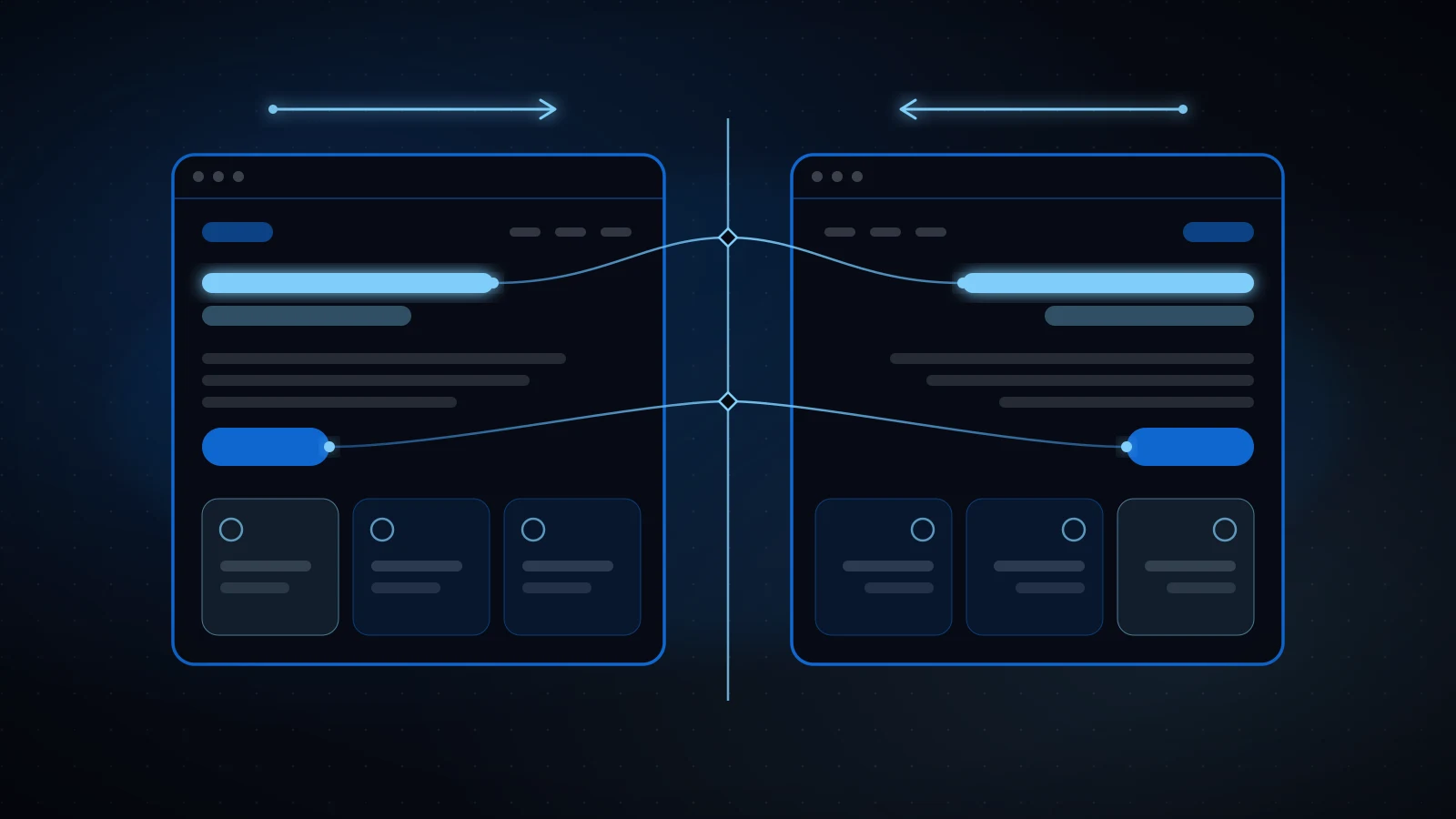
Most Arabic and English websites go wrong in the same few places. Both languages share one address, so search engines see only one of them. Nothing tells them the pages are translations. The Arabic layout is flipped in full, including parts that should stay put. Arabic text inherits styling made for English, the Arabic copy is a machine translation, and forms, dates and numbers break when the reading direction changes. Each has a known fix, and none needs a second website.
Below are the fixes, with examples from our own bilingual site.
Give each language its own address
Google recommends a different URL for each language version of a page. If one address switches language by cookie or browser setting, Google may not find and crawl every version. Its crawler also sends no language preference with its requests, so a page that adapts to each visitor may never be indexed in both languages.
Subfolders such as /en/ and /ar/ are the simplest choice. Subdomains and country domains also work, but Google doesn't recommend URL parameters such as ?lang=ar.
The language switch should open the same page in the other language, not the home page. Google also advises against redirecting people between language versions based on a guess.
On our site, every page has an English and an Arabic address, such as /en/services/web and /ar/services/web, and the language switch keeps you on the page you were reading. Only the bare domain picks a language for you, from your browser setting. That is the case the x-default entry below is for.
Tell search engines the pages are translations
The hreflang annotation tells Google that pages are language versions of each other. Google's guide to localized versions sets three rules:
- Each version must list itself and every other version. If two pages don't point to each other, the tags are ignored.
- You can declare them in the page's HTML, in HTTP headers or in your sitemap.
- An
x-defaultentry names the page for visitors whose language you don't serve. Google suggests it for language selectors and home pages that redirect automatically.
Google decides a page's language from its visible content, not from hreflang or the lang attribute. An "Arabic" page with English body text is an English page, so don't translate only the menus and footer. Pages whose main content is translated are not treated as duplicates.
Every page we want found in search carries en, ar and x-default entries, in the page head and in the sitemap.
Declare language and direction in the HTML
The W3C says to always declare lang on the <html> tag, and to add dir="rtl" there on right-to-left pages. It also says never to set the base direction with CSS, because the direction should still be known when the styles are not.
Our Arabic pages open with <html lang="ar" dir="rtl">, our English pages with lang="en" and dir="ltr".
Mirror the layout, but not everything
With the direction set, a layout written in start and end values (CSS logical properties) mirrors on its own; one hard-coded to left and right needs patching page by page. Our layout styles use start and end.
Not everything should flip. Google's Material Design guidance on bidirectionality is a good reference:
- Mirror: navigation order, back and forward arrows, text alignment, the side a checkbox sits on, and progress bars.
- Leave as is: numbers, including phone numbers and clocks; charts; icons without direction, such as a camera; clockwise refresh icons; media playback controls; and untranslated text such as a URL.
The search icon stays put too: its handle sits at the bottom right because most people, Arabic readers included, are right-handed.
Give Arabic its own typography
Arabic is a cursive script: letters join their neighbours. MDN warns that letter spacing can make it look broken, and Arabic has no capital letters, so an all-caps English label needs weight or colour to stand out in Arabic. Choose a typeface designed for Arabic, and test sizes and line heights with real Arabic sentences.
Our Arabic pages use the Cairo typeface, with letter spacing and uppercase styling switched off.
Write the Arabic, don't only translate it
Machine translation is a fair way to start a draft and a poor way to finish one. It tends to keep English sentence order, choose the literal word over the one your customers use, and miss your tone. Headlines and buttons suffer most.
Treat the languages as two editions of one site: every page in both, with the same depth, written or at least reviewed by someone fluent who knows your audience. Keep facts in step: opening hours, phone numbers and service lists change in both languages together.
On our site, each language has its own copy file and its own field in the content dashboard, so each is edited on purpose.
Forms, dates and numbers
Direction mistakes hurt most in forms, where they stop people contacting you.
- Fields. Email addresses, websites and phone numbers are typed left to right, even on an Arabic page. The W3C suggests
dir="auto"on inputs, so each field follows what the visitor types. - Mixed text. A number, a range or a Latin brand name inside an Arabic sentence can display in the wrong order. The W3C recommends isolating it with
bdiordir="auto". Our Project Estimator does this for its week ranges. - Dates. The W3C notes that month/day/year is unique to the United States, while most of Europe uses day/month/year. Write the month as a word, or format dates per language with locale-aware tools.
- Numerals. The W3C's Arabic layout requirements list European digits in countries such as Algeria and Morocco, and Arabic-Indic digits in countries such as Egypt, Saudi Arabia and Iraq. Pick one style for your audience and keep to it. Either way, numbers read left to right.
- Messages. Error messages and confirmation emails need Arabic versions too.
A quick check before launch
- Each page has its own address per language, and the switch opens the same page in the other.
- Every page lists itself and its other versions with hreflang, plus x-default.
- The
htmltag carries the rightlanganddir. - Arrows and navigation mirror; numbers, charts, clocks and media controls don't.
- Arabic uses an Arabic typeface, with no letter spacing.
- A fluent writer has read every Arabic page.
- Every form accepts Arabic and English input, and its errors read well in both.
See your idea in both languages first
Planning a bilingual site or app? Our free Concept Generator sketches your one-line idea into wireframe screens in seconds, and on the Arabic page the screen labels come out in Arabic. It is a sketch to react to, not a finished design.
Running a professional firm? See a credible firm website with intake and scheduling, or read about our website design and development service. When you're ready, book a free discovery call. We'll go through your languages, audience and pages, then follow up with an itemised proposal.